Site credentials, kept in the vault
Keep every site credential in the vault of that site, categorized and encrypted. Team members with the right permission reveal a secret only after reconfirming their account password.
Maintenance stalls when the login you need lives in a teammate’s inbox, a spreadsheet, or an old chat thread. For an agency that maintains dozens of client sites, that search repeats every week: a plugin update waits on the hosting panel, a DNS change waits on a registrar login, and the one person who has it is on holiday. The cost is not just lost time. Passwords copied into chat threads stay there after the thread is forgotten, and nobody is quite sure which spreadsheet holds the current one. Each site in Orbit has its own vault, so the access details sit next to the site they belong to, where authorized team members can find them.
One vault per site
Credentials in Orbit are not pooled in one shared list. Every site gets its own vault, tied to that site’s record. Open a site and its access details are already there; open another and you see only what belongs to that client. This layout matches how agency work actually happens: one site, one set of logins, one place to look.
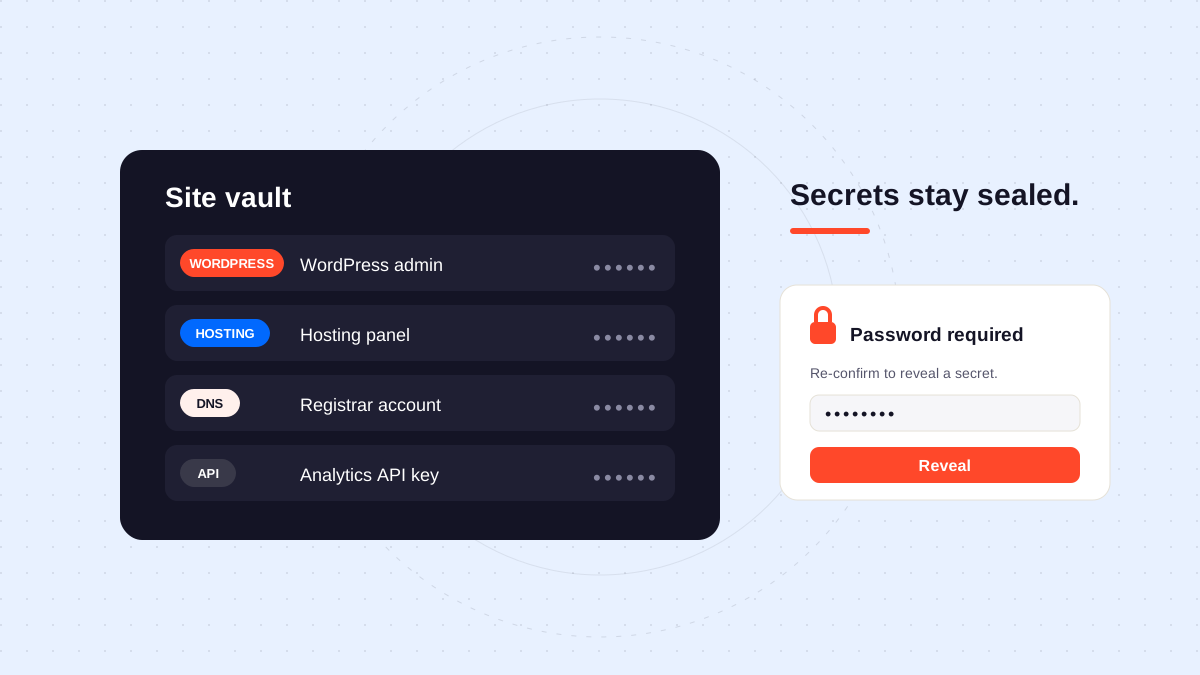
A vault entry holds a title, a category, and the context that makes the credential usable: a username, a URL, and notes. Categories cover the usual access points of a client site: WordPress, hosting, DNS, API, and email, plus a general “other” group for everything else. The vault list shows this context for every entry, so a teammate can confirm they have the right account, the right login page, and the right instructions, but never the secret itself.
Encrypted, and revealed on purpose
Each secret is encrypted with AES-256-GCM before it is stored. Listing and browsing the vault never exposes it: the secret is absent from what the list returns, not just hidden behind a blur or a row of dots.
Reading one back is a deliberate action. The team member re-enters their account password, and only then does Orbit return the secret, ready to copy. Someone browsing the vault list sees titles and categories, never passwords or API keys. And because a reveal costs the team member their own account password, taking a secret out of the vault is always a conscious decision, never a side effect of looking something up.
Access follows team permissions
A site’s vault opens only for members whose role includes the vault permission for that site. If a teammate’s role for a site does not include that permission, the vault stays closed to them: someone who only schedules content has no reason to reach the hosting panel password. Access is decided per site, so a contractor helping on one client site does not inherit access to every vault in the agency.
Every entry records who added it and who last updated it. When a login stops working, the team knows who to ask about that credential instead of guessing which inbox or chat thread holds the current one.
Organize entries so anyone can pick up the work
A vault pays off when entries are written for the person who was not in the room. A few habits make the difference:
- Name entries after the service and the environment, like “Hosting panel (production)” or “WordPress admin (staging)”, so the right one is obvious under pressure.
- Use the URL field for the exact login page, not the provider’s homepage. The teammate on call should land on the sign-in form, not on a marketing site.
- Use notes for what the other fields cannot say: which client contact issued the account, where two-factor codes arrive, or which plan the hosting account is on.
- Keep one entry per account, so a password rotation touches a single record instead of several.
Keep the vault current
A vault that lags behind reality is worse than none, because the team stops trusting it and goes back to asking around. Three habits keep it dependable:
- Add the credential the day access is granted, not the day someone needs it. Onboarding a new client is the right moment: collect every login at intake and store it before work starts.
- Update the entry when a password rotates or an account changes hands. The client who resets their WordPress password on a Sunday should not leave the team locked out on Monday.
- Remove entries for services the site no longer uses. Old credentials for a cancelled hosting plan or a retired API key are clutter at best and confusion at worst.
From onboarding to handover
The vault follows the site through its whole life with the agency. At intake, it doubles as the checklist of what to collect: WordPress admin, hosting, DNS, connected APIs, the site mailbox. During maintenance, it is the first place every team member checks, and the only place that needs updating when something changes. And when responsibility moves, to another team inside the agency or back to the client, the vault gives the handover a concrete list to work from: every credential the team recorded, gathered in one place to review and transfer, instead of a hunt through private message threads.
Explore Orbit’s security page for the product’s access boundaries, and use the handover checklist when site responsibility moves between teams.