
The product

Everything the desk has to do.

One product for the sites, the stack, the work, and the retainer. WordPress is the depth. Static sites join through GitHub.
A real operational profile. Not a plugin list with a screenshot.

The Site Fiche is the page you open before you touch a client site. It is built to answer four questions:
  1. What is this site, and who is it for?
  2. How is it built?
  3. Can we maintain it safely today?
  4. What is the next action?
  • Site type, tags, client, hosting environment, staging availability
  • Uptime, response time, health score
  • General and technical descriptions — AI first, your text wins
  • Functional fingerprint: the plugin that actually fills each role
  • Watch zone: missing security, backup, cache, GDPR — as risk, not as an upsell
  • Theme stack, parent/child integrity, custom-theme build profile
  • WordPress / PHP / SSL snapshot and recent activity

The portfolio list behind it is the fleet view: cards or a table, health, pendingactive updates, hosting, type, tags. Static and WordPress sites sit in the same list.

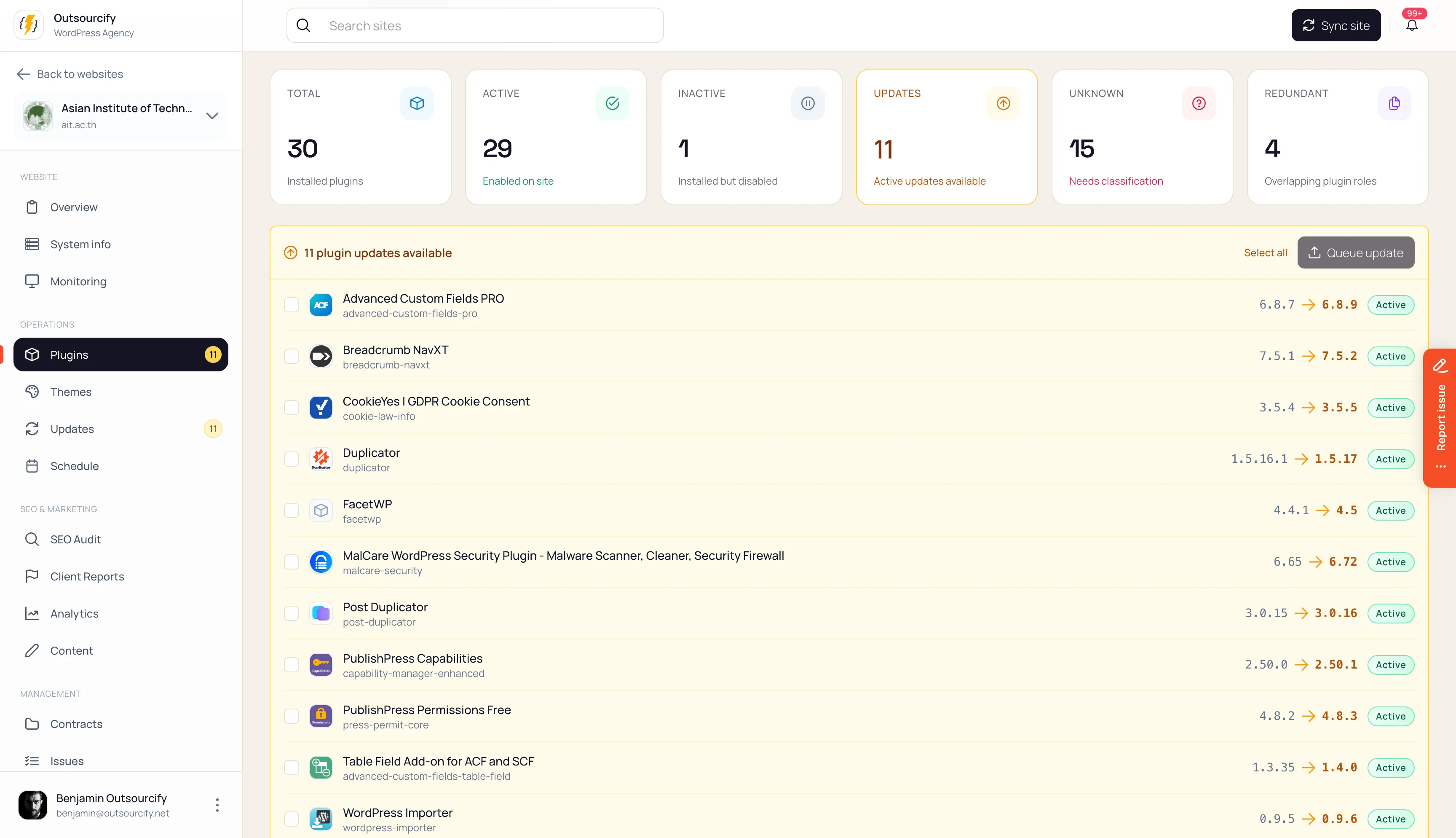
WordPress plugin inventory showing active, inactive and redundant plugins, with available version updates.

Plugins and themes as a stack. Including yours.

Without a directory, a plugin is a slug and a version. Orbit matches what is installed against a curated Plugin Directory and Theme Directory: functional role, Free/Pro/Lite relationships, known conflicts, recommended replacements.
How the count works

Pending updates are active plugins only. Inactive plugins never inflate the update count. They are cleanup — leftover code is attack surface, not a backlog of zips to apply.

Your agency overlay

Preferred / acceptable / legacy / avoid, per role. Orbit does not force a generic “best plugin.” It shows where a site left the stack you actually maintain.

Portfolio intelligence

Across the fleet: inactive counts, unknown plugins, role redundancy, missing essentials, Free/Pro mix, and stack drift — with replacement workflows, not just charts.

Themes

Family and framework, child vs parent, orphaned child, outdated parent, builder pairing, custom vs marketplace, and for custom themes a build profile — including a repository URL when you have one.

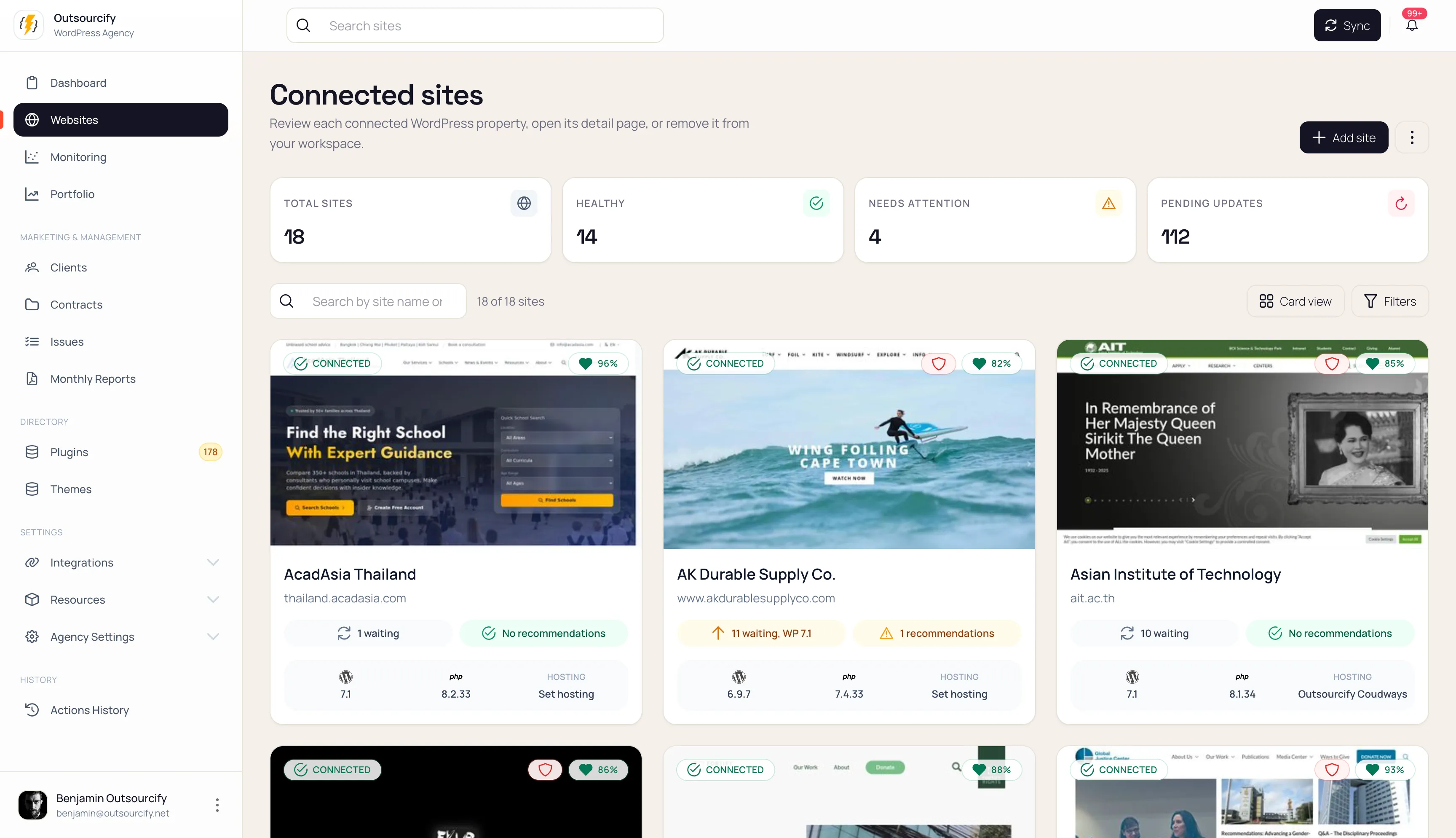
Connected websites in Orbit Webmaster, with health scores and pending updates.

Do the weekly work from Orbit. Then make the unsafe path the long one.

Open wp-admin with a one-time login

Flush cache, refresh permalinks, optimise the database

Clean spam comments and post revisions

Toggle debug, maintenance mode, and search indexing

Log everyone out

Queue plugin and theme updates

Schedule recurring operations, including timed toggles that revert themselves

How Orbit counts work

Update what is active. Remove what is inactive. Do not “update all” a graveyard of deactivated plugins.

How Orbit intends to ship updates

Coming

Clone to staging via the host, apply there, screenshot the key pages, diff against production, ask a human when the diff is ambiguous, then deploy. Rolling back plugin files on production does not undo a database migration. Staging-first is the honest model.

Hosting adapters: Cloudways first, then WP Engine and Kinsta. Cloudflare sits next to them so “purge cache” can mean host + plugin + edge without the operator naming the layers.

WordPress plugin inventory showing active, inactive and redundant plugins, with available version updates.

Know it is down. Know it was already unhealthy.

Uptime checks, consecutive-failure downtime, recovery, and daily latency (average, p95, p99). A health score with a reason: conflicts, missing roles, inactive plugins, WordPress health, SSL — banded from Excellent to Critical.

Health is “is this site in good shape?” Maintenance readiness (on the fiche) is the other question: “can we run maintenance right now?”
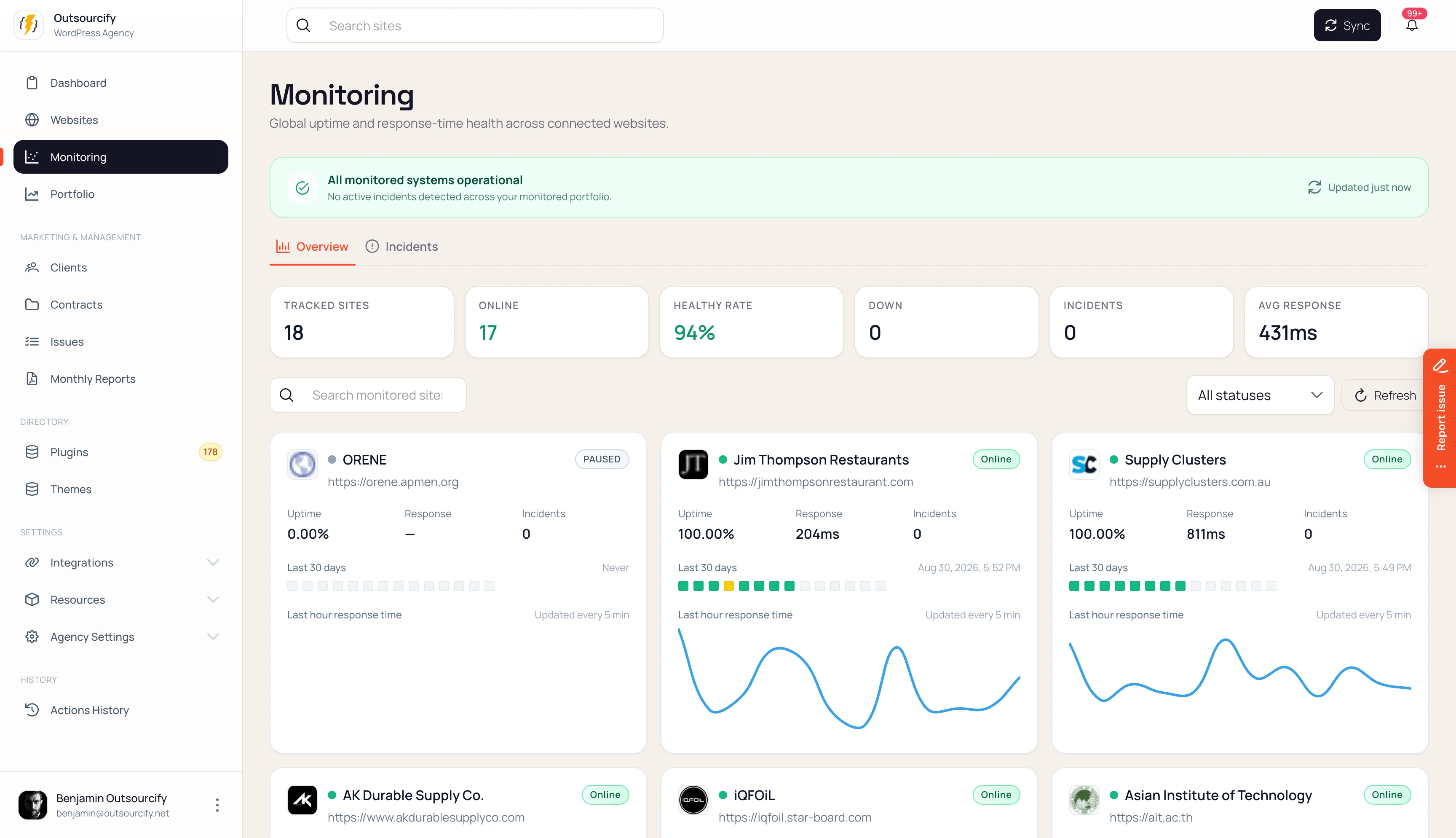
Portfolio monitoring with uptime, incidents and response-time charts for connected websites.

SEO

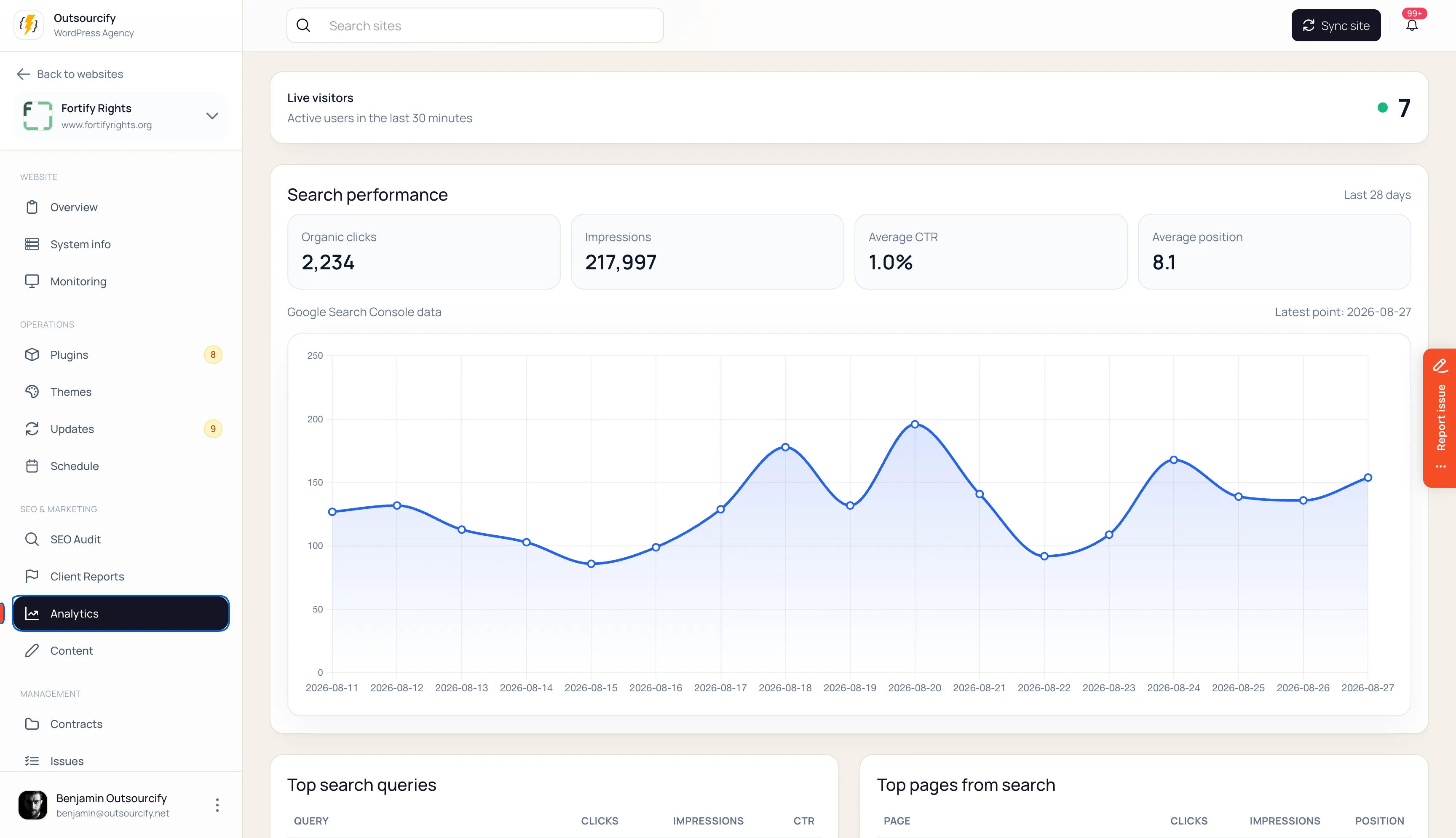
Site analytics showing live visitors, organic clicks, search impressions and search performance over time.

Queued Google Lighthouse audits, mobile and desktop. AI writes the analysis. Client-facing report documents live next to the site. This layer does not care whether the site is WordPress — a static URL gets the same pass.

Maintenance is a product you sell. Treat it like one.

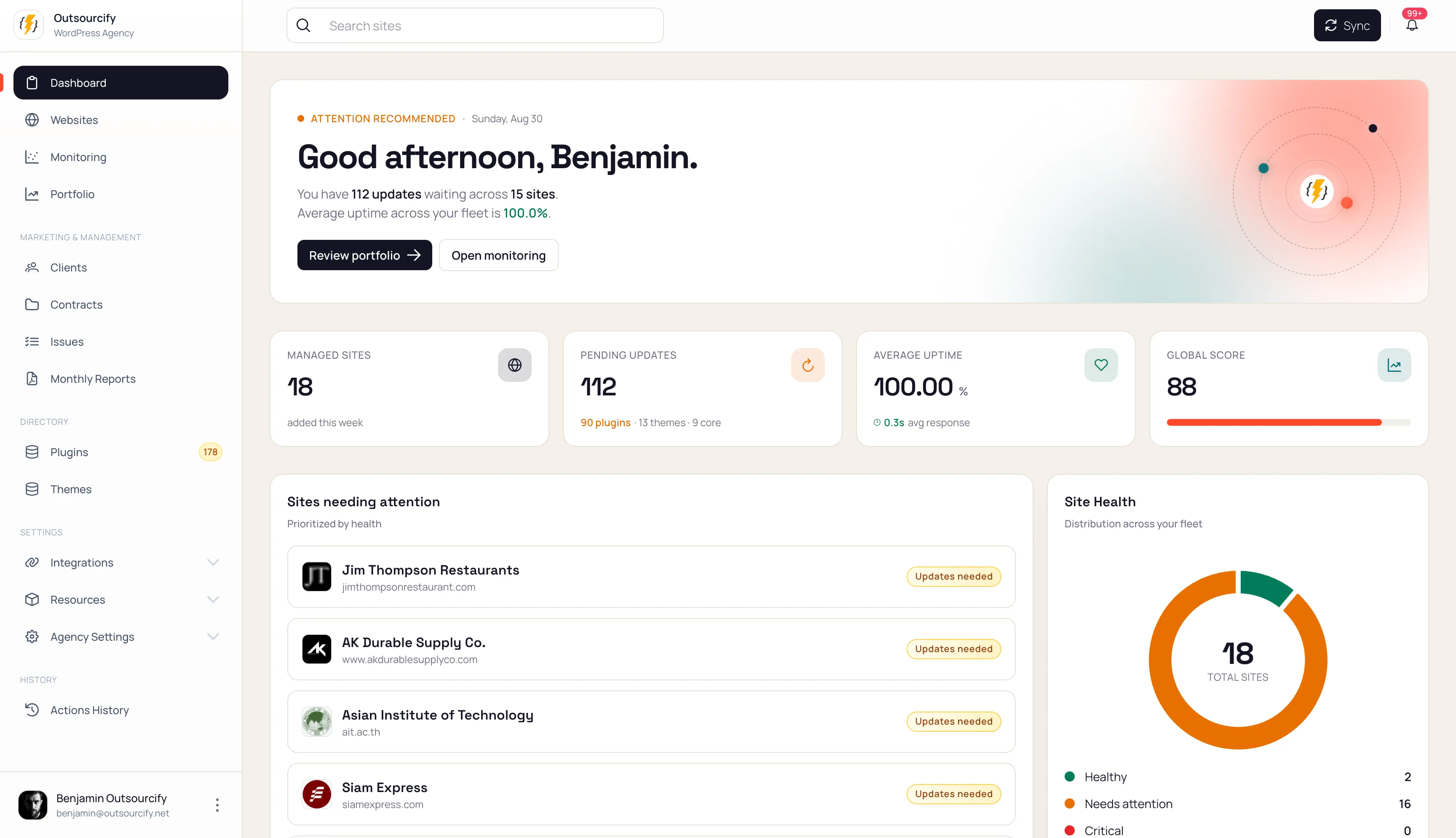
Orbit Webmaster dashboard showing managed sites, pending updates, uptime and site health.

Clients

The organisations you maintain sites for.

Packages

Templates: cycle, duration, hours, terms, price.

Contracts

A package on a site, with dates and remaining hours.

Tasks

Work against the contract.

Requests

What the client asked for.

Hours are the proof, not a guess. Automated work still debits a minimum, so forty successful updates never show as “0 hours consumed.” Failed tasks debit nothing. Overflow is billable overage for you to review — it does not silently eat next month.

The client portal lives in their WordPress admin.

Coming

No second password, no Orbit login to teach. A Maintenance menu, on the site they already use. They can see the package, the hours (in transparent mode), the work, the reports, and they can submit a request. They cannot execute an action. Every request is yours to accept, clarify, or reject.

Static-site clients have no wp-admin. They stay on the same contracts, tasks, and reports through the agency workflow.

Built for WordPress. Not WordPress-only.

Agencies also ship brochure sites, campaign sites, and frontends whose source of truth is a repository. Those sites still need a client, a contract, uptime, Lighthouse, and a way to know what is actually deployed.

GitHub sync is how they join the desk. Link the repo and the production URL. Orbit treats the repository the way it treats a WordPress snapshot: the technical profile, the last sync, the branch, whether production has drifted.

Orbit does not replace GitHub Actions, Netlify, or Cloudflare Pages. It observes the source, watches the URL, and keeps the commercial record next to your WordPress fleet.

A planner and an analyst. Not an agent on production.

What it does

  • General and technical site descriptions
  • Site type, domain, tags, synthesis line, risk summary
  • Plugin and theme descriptions
  • Classification suggestions for unknown plugins and themes
  • Lighthouse write-ups
  • A chat scoped to the page you are on

What it does not do

  • Change a live site
  • Overwrite a description you edited
  • Persist a directory classification without a human

When task planning lands, the shape is: you say “update all plugins safely on this site”; Orbit proposes a typed recipe; the backend validates permissions and capabilities; you accept; then it runs. The model never gets a raw write-handle.

The desk, not the pile.