Every plugin your clients run, in one place
Orbit keeps a current inventory of every plugin and theme on your WordPress client sites, matches each one against known vulnerabilities and your agency standards, and turns the gaps into a reviewable list of findings.
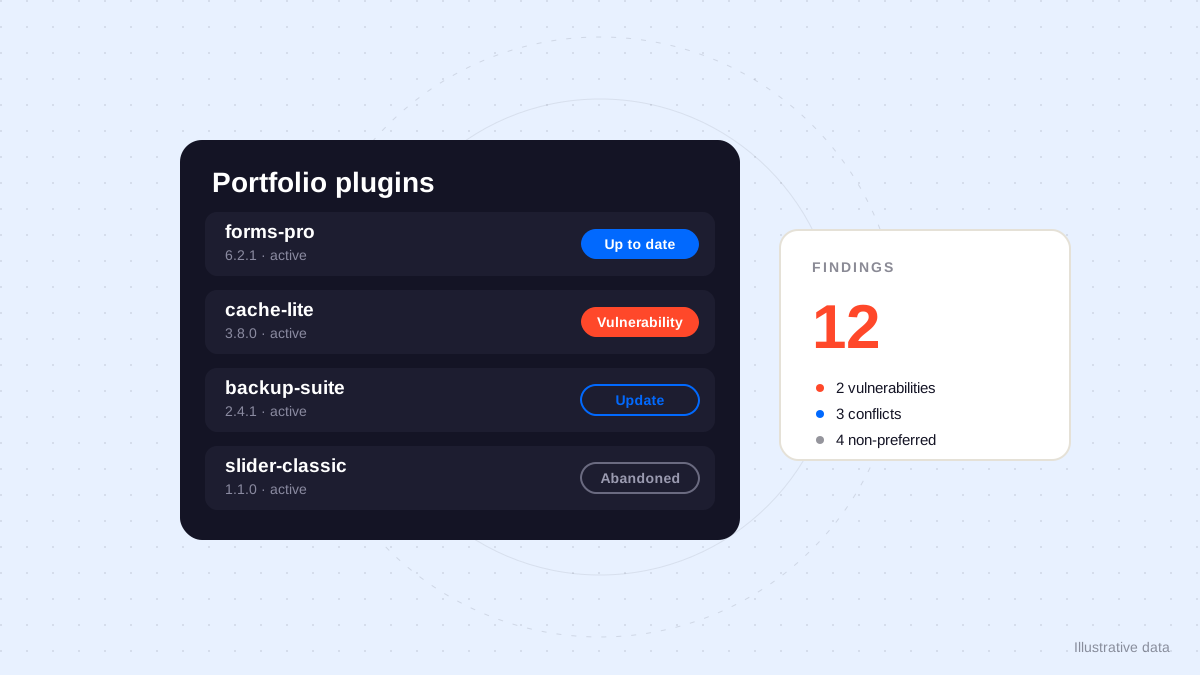
Ask an agency which of their client sites still run a specific plugin and the way there tends to look the same: a spreadsheet, a few wp-admin sessions, and a list that is already aging by the time it is shared. The question matters more than the inconvenience suggests: a vulnerable plugin on one forgotten site, a paid license sitting inactive, two backup plugins fighting each other on a new client’s install. Orbit brings these answers onto one screen, built from what your connected sites report about themselves.
An inventory that builds itself
Each WordPress site connected through the Orbit plugin reports its own stack. For every plugin it reports, the site profile shows the installed version, whether the plugin is active, whether an update is waiting, its license status, and when it was last updated. Themes get the same treatment. Nobody maintains this list by hand: it refreshes when the site syncs, so the inventory describes what the sites have reported rather than what someone remembers installing.
Because the same reported data exists across the portfolio, fleet questions become lookups instead of investigations. Which sites run this form plugin? Which ones still have the old slider active? Which installs carry a plugin nobody on the team recognizes? The answer is a view, not a project.
Known vulnerabilities, matched to reported versions
Orbit syncs the WPVulnerability database against the components your sites report: WordPress core, plugins, themes, and the PHP version behind them. A finding only counts when it applies to a reported version, and only within the coverage of that database. The list reflects the latest sync on both sides: when a site reports a patched version, or when the database’s records change, the next refresh adjusts the picture.
A portfolio summary gathers the exposure in one place: which sites carry a known vulnerability, and which component is concerned. When a disclosure lands on a Friday afternoon, the difference is concrete: instead of opening every wp-admin in the portfolio, the team reads one summary and knows which sites to check first. Orbit surfaces the risk; it does not patch for you. The decision to update, replace, or consciously accept a risk stays with the team, with the evidence in front of them.
From inventory to agency standards
A raw list of plugins tells you what is installed. It does not tell you what should be. Orbit’s plugin directory adds the layer in between: each known plugin carries a category, the primary roles it fills, and the capabilities it provides, from forms and caching to backups and SEO. On top of that directory, your agency records its own standards.
- Mark plugins as preferred, acceptable, legacy, or avoid, for a whole category or for a specific role like forms or caching.
- Declare the roles you expect on a type of site, so a shop missing its SEO or backup coverage shows up as a gap instead of a surprise discovered during an incident.
With standards recorded, Orbit turns each connected site into a set of findings: a role filled by a plugin your agency does not prefer, a free variant where you standardized on the pro version, two plugins covering the same role, a hard conflict between two installed tools, a plugin abandoned by its author, an inactive plugin still sitting on the server, or a paid license recorded as inactive and worth a look before its renewal. Each finding names the site and the plugin, so the review starts from a list, not from a hunch.
A directory that keeps learning
Client sites always contain plugins no directory has seen: custom builds, must-use plugins, private tools delivered by another developer. Orbit queues these unknown entries instead of dropping them, so they still surface in the review rather than slipping past it. An AI classification proposes a category, role, and capabilities for each one, with a confidence score and its reasoning attached, and a person confirms the suggestion before it joins the directory. The same care applies to descriptions: a directory entry can carry an AI-written explanation in plain or technical language, and a manual edit always takes precedence over the generated text.
Themes follow the same path: their own directory, their own relationships and conflicts, and the same queue for entries the directory has not classified yet.
Make the review a routine
The tooling only pays off if someone looks at it on a rhythm. A few habits keep the inventory honest:
- Review portfolio findings on a fixed day, the way you would review updates.
- Record preferences for the roles you care about most; a short, honest list beats an exhaustive one nobody maintains.
- Set expectations per site type, so a brochure site and a shop are held to different standards.
- Replace abandoned or legacy plugins before the next renewal conversation with the client, while the reason is still technical rather than urgent.
See how the site profile brings this together on Orbit’s WordPress page, and pair these findings with a review habit like the one in WordPress updates before you click.