
For web agencies that maintain a real portfolio
Run every client website from one desk.
Orbit Webmaster is made for WordPress. It also handles static websites through GitHub sync. One portfolio, one contract layer, one place to see what is healthy, what is drifting, and what to do next.
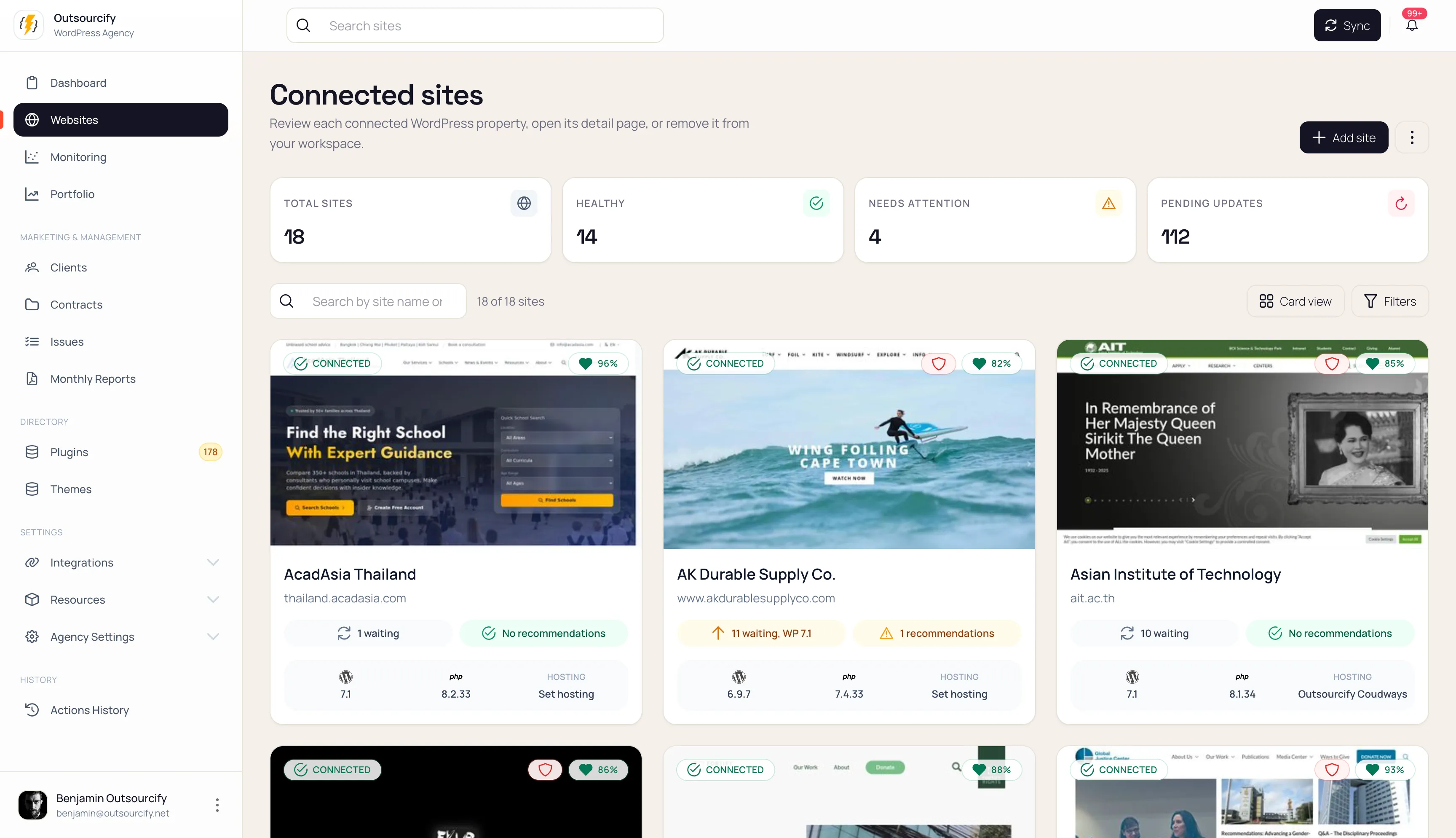
- Per-site tokens
- Staging-first updates
- AI never writes to production
Forty sites. Forty dashboards. A spreadsheet for the plugins.
A typical agency maintenance week is split across WordPress admins, hosting panels, Cloudflare, an uptime tool, a Lighthouse report, a board for tasks, and a separate place for remaining hours. Static sites live in a GitHub repo nobody looks at until they break.
Updates get applied on production — or skipped — because nobody is sure what the site is made of. A new developer cannot see the stack, the contract, and the last safe action in one view. Clients cannot see what they paid for.
Existing “manage all your WordPress sites” tools centralise some of this. They still treat plugins as a version list, skip your agency’s own stack, ignore the retainer, and leave static sites out.
No institutional memory
No commercial trace
Two-speed portfolios
The operations layer for the portfolio. Not another ping tool.
Orbit Webmaster is the control plane for agencies that look after many client websites.
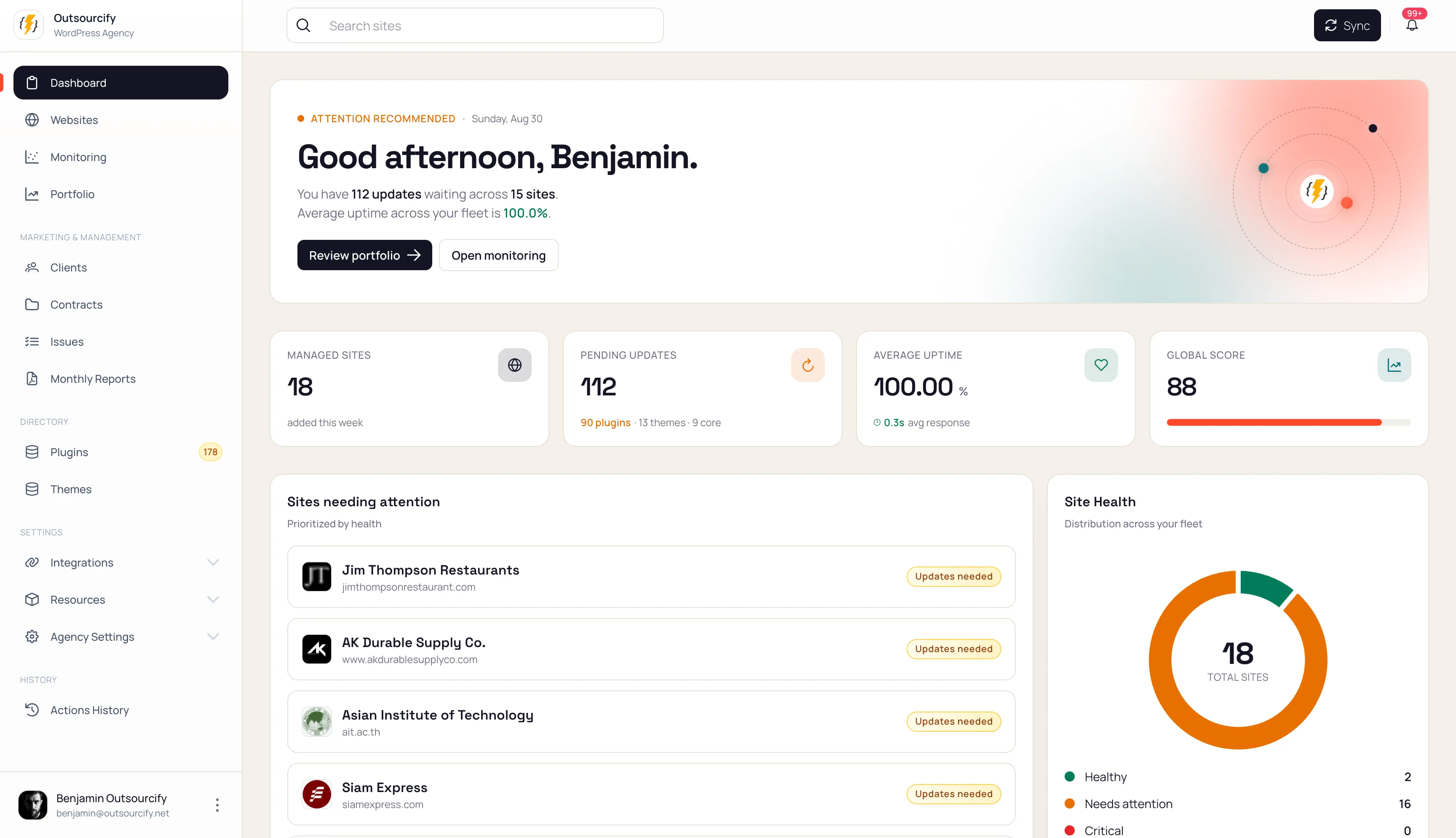
- A dashboard for every site you maintain
- WordPress intelligence that understands plugins and themes as a stack, not a list
- Remote maintenance, hygiene, and scheduled operations
- Hosting and Cloudflare as environments you orchestrate, not tabs you remember
- Packages, contracts, and hours so the retainer has a system of record
- A client view inside WordPress admin — no extra login
- Static sites in the same portfolio, connected through GitHub
The loop
Understand. Operate. Prove.
Three moves, in order. Everything in the product sits on one of them.
01
Understand
02
Operate
03
Prove
Two ways to connect a site. One desk.
WordPress gets plugin and theme intelligence, safe updates, and a portal in wp-admin. Static sites get GitHub, drift, and the same commercial layer.
WordPress
FlagshipStatic
Equal deskRead a site in five seconds. Act in thirty.
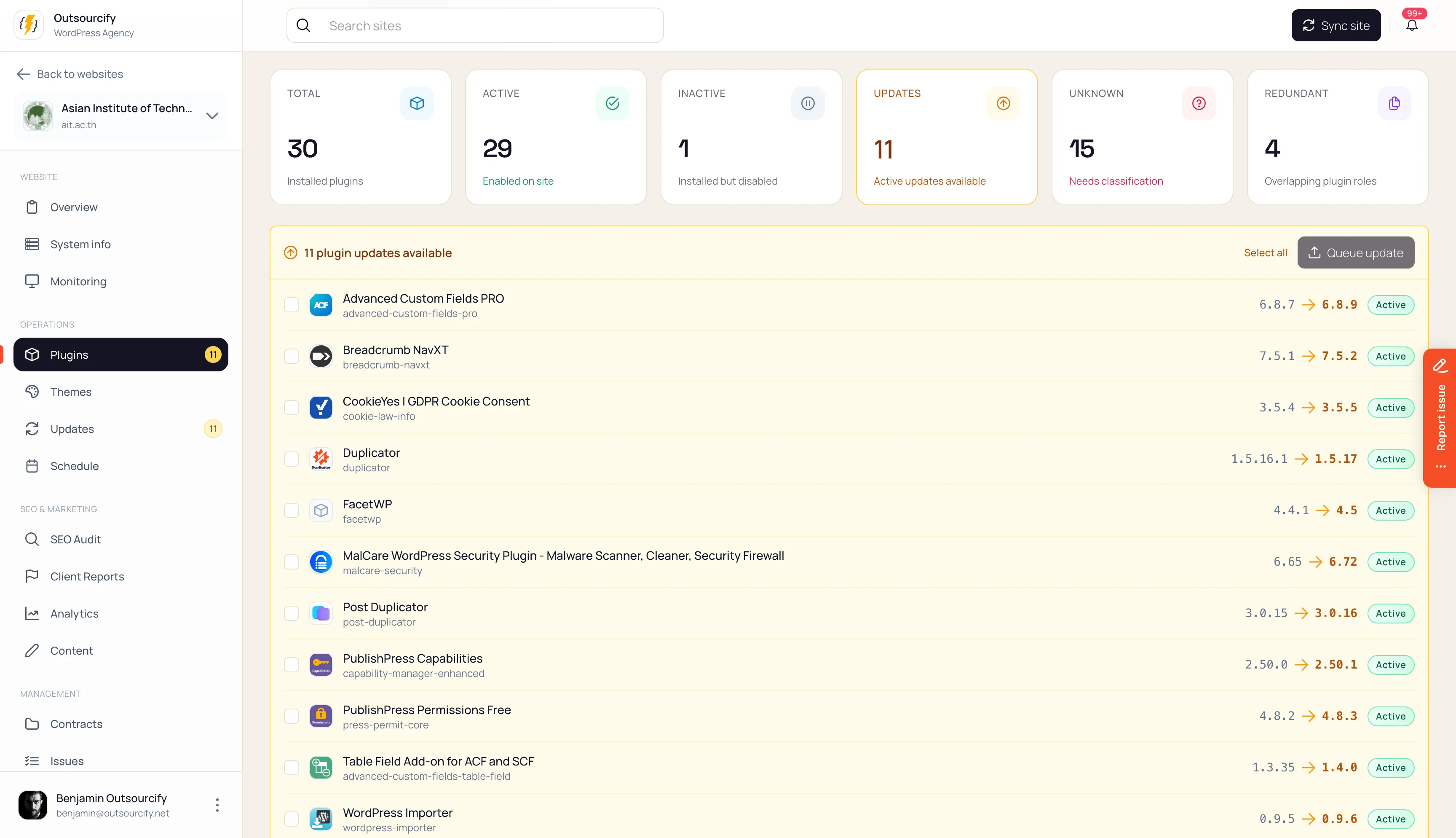
Competitors show update counts. Orbit is built so a PM or a developer can open a fiche and leave with a decision.
Under that: a functional fingerprint (which plugin fills SEO, cache, forms, commerce), a watch zone for missing security, backup, cache, and consent, and the contract sitting next to the stack.
Your stack, encoded. Then every site that drifted.
Orbit ships a global Plugin Directory and Theme Directory so “SEO plugin” is not a slug. On top of that, you set how your agency builds: preferred, acceptable, legacy, avoid — per role.
Portfolio view then answers the questions a version list cannot: which sites still run Contact Form 7, which ones carry two caches, which ones drifted from the stack you actually sell.
Gravity Forms
WPForms
Contact Form 7
That page builder
AI writes the briefing. You still decide.
Orbit uses AI to describe sites, classify unknown plugins, and summarise Lighthouse reports. It does not push production.
Typed actions, permissions, and (for updates) a staging-first path are how work runs. Humans confirm anything that changes a live site or the global directories.
A Monday at the desk.
Orbit is built around the people who actually run the portfolio — not a single wp-admin hero.
PM
Operator
Owner
Client
Built for agencies with a maintenance practice.
If you look after about ten sites or more — WordPress at the core, static sites in the mix — Orbit is the desk that should replace the pile of tools.
Priced on the portfolio, not on seats: add the whole team.
Orbit is in pilot. Agencies we onboard now use it free for at least a year, while the pricing gets settled with the people actually running it.
Maintenance you can prove.
Request access and we will show you the desk with your kind of portfolio in mind.