
WordPress in depth

Made for WordPress. That is the point.

Orbit Webmaster is a WordPress operations platform that happens to hold the rest of your portfolio too. The depth is here: the connector, the directories, the fiche, the safe path, the portal.

A small plugin. A serious server.

Install the Orbit WordPress plugin on the client site. Authenticate with a unique connection token. From that moment the site can:

  • Send technical snapshots
  • Run the actions you allow
  • Open a one-time admin login
  • Render the client Maintenance menu in wp-admin

The plugin does not contain the product. If you remove it, the site disconnects. History, contracts, and snapshots stay in Orbit.

Tokens rotate and revoke. Commands are authenticated per site.

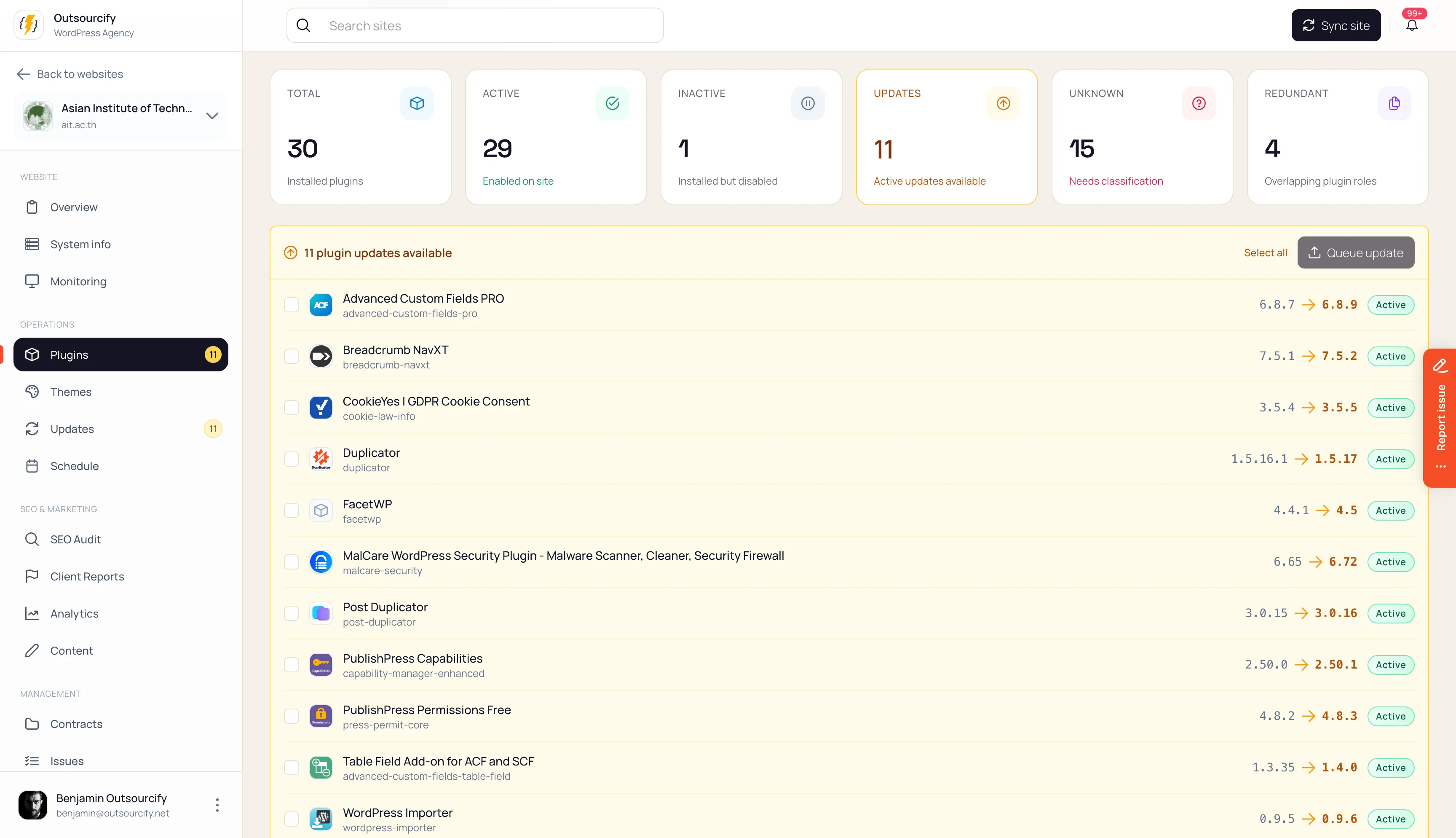
WordPress plugin inventory showing active, inactive and redundant plugins, with available version updates.

Connector

  1. Create the site record

    Name, URL, client, type, tags, hosting environment.

  2. Install the Orbit connector

    A thin plugin. No product logic inside WordPress.

  3. Paste the per-site token

    Hashed and encrypted. Rotate or revoke at any time.

  4. Snapshots start

    Core, PHP, plugins, themes, users, builders, health, SSL.

Not just “25 plugins.”

A snapshot includes WordPress and PHP versions, every plugin (active, inactive, must-use, drop-in), themes, users, custom post types and taxonomies, ACF groups, page builders, health recommendations, SSL and DNS. A site with 8,000 posts is operationally different from a site with 12 pages. Orbit keeps that difference.

The stack in one breath.

Functional roles Orbit resolves when they are actually present: builder, custom fields, SEO, security, multilingual, cache, forms, e-commerce, backup, consent, SMTP, analytics, image optimisation, membership/LMS, CRM, redirects.

The watch zone only nags the essentials: security, backup, cache, GDPR. It will not invent an LMS warning on a brochure site.

Redundancy is a first-class signal. Two SEO plugins is not “fully covered.” It is a conflict.

WordPress plugin inventory showing active, inactive and redundant plugins, with available version updates.

Stop updating dead plugins.

Deactivated plugins still sit on disk. WordPress security practice is to delete them. Orbit treats inactive plugins as a cleanup queue, with “keep intentionally” when you mean it, and a bulk remove that snapshots first.

Must-use and drop-ins are listed. They are not toyed with through the normal deactivate flow.

A knowledge layer, then your policy.

The Plugin Directory and Theme Directory are global, curated, and reused across agencies. Your preferences sit on top and never fork the global data.

Unknown plugins and themes go to a review queue. AI may suggest a classification. A human confirms before it becomes knowledge.

Product rule

Orbit will not become a way to share paid plugin zips across clients. License and entitlement intelligence is a later layer, with that guardrail kept.

Staging. Screenshots. Then production.

Coming

The model Orbit is built around:

  1. 01

    Baseline screenshots of the pages that matter

  2. 02

    Clone to staging through Cloudways, WP Engine, or Kinsta

  3. 03

    Update on staging

  4. 04

    Compare

  5. 05

    Human review when the diff is not obvious

  6. 06

    Deploy, purge caches, clean up

This is the opposite of “update all on live, hope the rollback works.”

Put maintenance where they already log in.

Coming

The portal is not a second SaaS. It is a menu in their admin, white-labelled by beingtheir WordPress. Contract, hours, tasks, reports, requests. No execute button on the client side.

Also in the portfolio

Static sites still belong here — they just connect with GitHub instead of this plugin.

WordPress, run like a practice.

Request access and we will walk your portfolio through the connector, the fiche, and the safe update path.